What happens after you pay: order tracking, changes and cancellations
By Today Offers Journal · Nov 9, 2026 · 5 min read
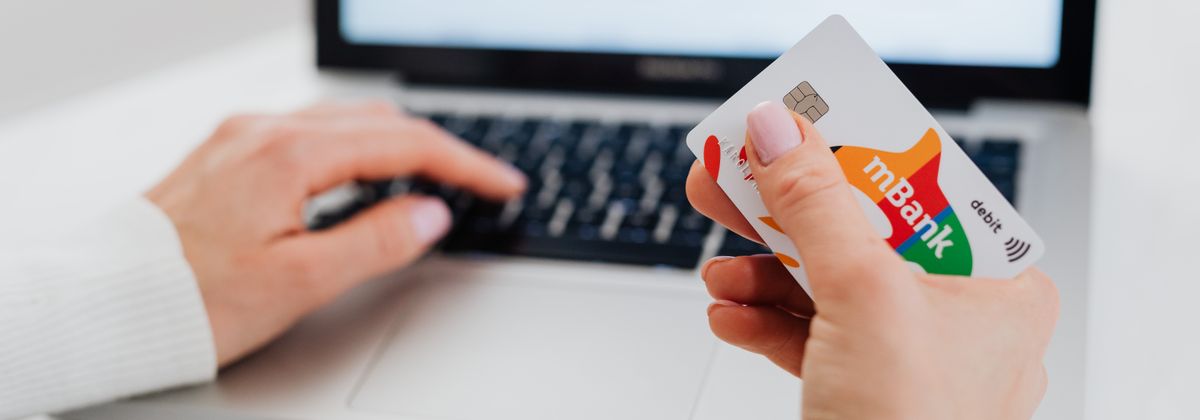
Paying is not the end of the process. Learn what the order statuses mean, how long you have to change or cancel, and how to follow a parcel so you are not surprised by delays.
After you press pay, a lot happens behind the scenes. The store confirms the payment, finds the items, packs them and passes them to a carrier. Understanding these stages helps you know when you can still make changes, when to start worrying about a delay and what to do if you change your mind.
The usual stages
Names vary, but most orders move through these steps.
- Order received. The store has your order and is checking the payment.
- Payment confirmed. The charge may appear as pending on your bank statement.
- Processing. The items are being picked and packed. This is the best time for changes.
- Shipped. The parcel is handed to the carrier, and you receive a tracking number.
- In transit. The parcel moves through the carrier's network.
- Out for delivery. It is on the final vehicle to you.
- Delivered or ready for pickup. The order is complete, or waiting for you at a pickup point.
If your status does not change for longer than the stated processing time, ask the store about it.
How long do you have to make changes?
Often the window is short. Some stores allow edits or cancellation for a few minutes or hours after ordering, and others until the order is packed. Once an order has shipped, the options narrow to refusing delivery, returning it or asking the carrier to redirect it, if they allow that. If you spot a mistake, act first and think later.
Changing the address
- Before shipping: contact the store immediately through chat or phone. Some let you edit it in your account.
- After shipping: ask the carrier whether they can redirect the parcel. This may need a fee, the tracking number and proof of identity. Many cannot.
- When in doubt: choose a pickup point, or arrange for a neighbour to receive it.
Always double-check addresses before payment, particularly the unit number and postal code.
Cancelling an order
To cancel, follow these steps.
- Look in your account for a "cancel" button on the order page.
- If there is none, contact support at once, with your order number.
- Ask for written confirmation by email.
- Check the refund timeline, and confirm that any discount or loyalty points are restored.
- Watch your statement for the refund or the release of a pending charge.
If the order has already shipped, you may have to refuse the delivery or return it under the return policy. Read the policy for any fees. For made-to-order or personalised items, cancellation is often not possible once production begins.
Understanding tracking
Tracking tells you where the parcel was last scanned, not necessarily where it is now. A few common messages are worth knowing.
- "Label created." The store has printed a label, but the carrier has not received the parcel yet.
- "In transit." It is moving between facilities. Short gaps between scans are normal.
- "Delivery attempted." The carrier tried and could not leave the parcel. Check for a card or message.
- "Held at depot" or "awaiting collection." You may need to pick it up, with ID.
- "Delivered." Look around your address and with neighbours before you contact support.
Give a missing parcel a couple of business days past the estimate before you worry, and then contact the store, as outlined in the guide on damaged or missing orders in the Journal.
Pending charges and double payments
A pending charge may appear before the order is confirmed. If an order fails and the money seems to be gone, wait a day or two, since pending holds often drop off by themselves. If you see two charges for one order, contact the store with the details. Do not place a third order without checking.
Price changes after you order
If a store lowers the price after you buy, ask about its price adjustment policy, and keep your receipt. If it raises the price, nothing changes for your order. For more, see our guide on price matching and adjustments.
Orders that never seem to start
If your order is stuck on "received" or "processing" for several days past the stated time, there may be an inventory problem, a payment check or a manual review. Contact the store and ask for the current status and a firm shipping date. If the answer is vague, ask whether you can cancel and receive a refund. Some stores ask you to confirm an address or a phone number before they release an order, so check your email, including the spam folder, for requests.
Fraud checks and held orders
Stores sometimes hold orders for review when the shipping and billing addresses differ, the value is high or the card is new to them. This protects both sides but can slow things down. A short reply with the requested details usually clears it. Do not send card numbers by email, and make sure the message really came from the store by contacting it through the website.
Staying informed
- Save the confirmation and tracking number.
- Turn on notifications from the carrier for delivery windows, if you want them.
- Plan to be home for items that need a signature.
- If a delay affects an important date, contact the store early. They may reship or refund.
Short checklist
- Look for the stage of the order.
- Act on any error while it is still being processed.
- Request cancellations in writing.
- Track parcels, and allow a short grace period.
- Keep every message until the order is complete.
You will not need all of this for most orders. When you do, the early minutes matter most.
Frequently asked questions
Can I cancel an order after I have paid?
Often, if it has not shipped. Check your account for a cancel option or contact the store immediately, and ask for confirmation in writing.
Why does my tracking say "label created" for days?
The store has printed a label, but the carrier has not yet scanned the parcel. If it stays that way beyond the stated processing time, ask the store.
How do I change my delivery address after ordering?
Contact the store at once. After shipping, you may be able to ask the carrier to redirect it, but this is not always possible.
Ready to put this to use? Browse today's offers Share a deal you found
 The smart way to shop online: a checklist before you click buy
 Remote-area, oversize and fuel surcharges: the shipping extras that appear late