Public Wi-Fi and online shopping: what is really risky and what is not
By Today Offers Journal · Sep 14, 2026 · 5 min read
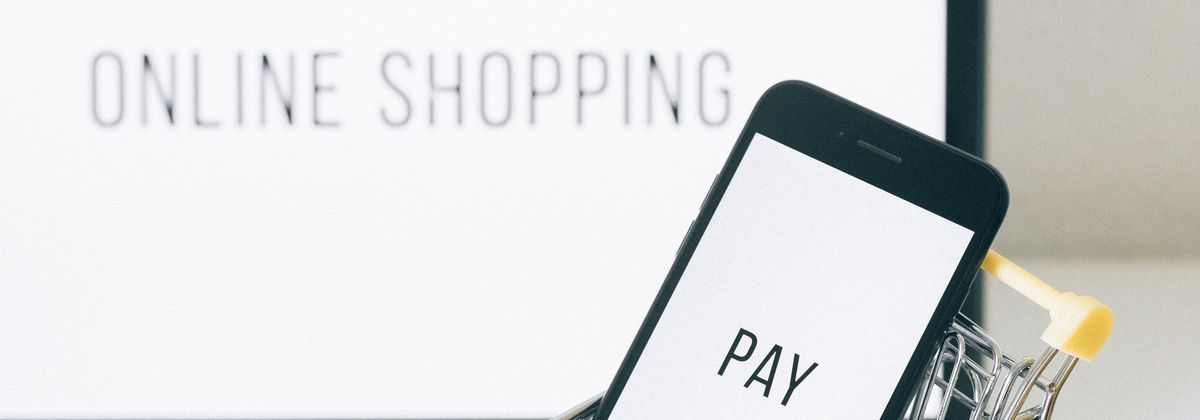
Is it safe to buy something on cafe or airport Wi-Fi? The honest answer is more nuanced than yes or no. Learn the real risks, the myths and a simple set of rules for shopping on the go.
Advice about public Wi-Fi tends to swing between two extremes. One says never type a card number on any network that is not yours. The other says everything is encrypted these days, so relax. The reality sits in between, and knowing which parts are true helps you decide when to shop on a shared network and when to wait.
What has improved
Most reputable shopping sites now use encrypted connections. When you see the lock symbol and the address begins with "https", the data passing between your browser and the site is scrambled in transit. Someone else on the same Wi-Fi network generally cannot read your card number from that traffic.
That is a real improvement, and it means the old warning "anyone nearby can read what you type" is much less true than it once was for ordinary shopping sites. Apps follow the same pattern: well-built shopping apps encrypt their connections too.
What can still go wrong
Encryption protects the content of your traffic, but public networks have other weaknesses.
- Fake hotspots. A criminal can set up a network named like the cafe's, such as the cafe's name with "free" added. If you join the wrong one, the operator can try to redirect you or show you fake pages.
- Fake login pages. Many public networks ask you to accept terms or sign in on a page. A fake page can ask for more than it should, such as an email password or card details to "verify" you.
- Warnings you click through. If your browser shows a certificate or security warning, an attacker may be interfering. Clicking "continue anyway" removes the protection.
- Out-of-date devices. Old software may have flaws that can be used on a shared network.
- Looking over your shoulder. In a busy cafe or train, someone can simply watch your screen, which is the most common risk of all.
Mobile data or Wi-Fi?
For a purchase that matters, your phone's mobile data connection is usually the simpler choice. It is not shared with strangers in the same way, and it avoids fake hotspots entirely. If you have a data plan, switch off Wi-Fi when you are about to pay. If data is limited or expensive, it is reasonable to reserve it for payments and use Wi-Fi for browsing.
You can also use your phone as a personal hotspot for your laptop, protected by a password you set. Check your plan for any limits first.
A rule set for shopping on public networks
- Confirm the network name with staff. Ask for the exact name instead of picking the one that looks closest.
- Keep browsing and buying separate. Browse products on the public network if you like. Pay later at home or on mobile data.
- Never ignore a security warning. If the browser says the connection is not private, close the page.
- Check the address. The lock symbol alone is not proof the site is genuine. Read the actual name of the site.
- Do not enter passwords on a sign-in page for the network. A hotspot page should not need your email or card details to give you access.
- Keep software updated on your phone and laptop. Updates close known holes.
- Use a screen privacy habit. Angle the screen away from others and cover the keypad when entering card details.
- Sign out and forget the network when you are finished, so your device does not rejoin automatically later.
What about a VPN?
A VPN, or virtual private network, creates an encrypted tunnel between your device and the VPN company's server. On a public network it can reduce some risks, such as someone watching what sites you visit. It is not a magic shield. It does not stop you from entering your card on a fake site, it moves your trust from the network owner to the VPN provider, and quality varies widely. If you use one, choose a provider with clear, independent information about how it handles your data, and understand that for ordinary shopping on https sites it is often a bonus rather than a necessity.
Situations where it is best to wait
- Setting up a new account with a password you will reuse. Do it at home.
- Opening your bank or a payment wallet for the first time on a new device.
- Shared computers, such as at a hotel or library. Avoid logging into shopping accounts there at all. If you must, use a private window, never save passwords and sign out completely.
- Large purchases. A few minutes of waiting costs nothing, and the offer will usually still be there. If you are worried the price will change, a saved cart or wish list can hold your place.
Using deals while out
Shopping on the go is fine for checking prices and saving offers. Use your phone to look through the flyers for your city or to save a coupon, and finish the payment where you trust the network. That way you lose nothing and avoid the one moment of real exposure.
Bottom line
Public Wi-Fi is less dangerous than its reputation for ordinary shopping, but it is not risk free. The biggest dangers are fake networks, ignored warnings and nosy neighbours. With a few habits and the option of mobile data, you can shop on the move with confidence.
Frequently asked questions
Is it safe to enter my card number on public Wi-Fi if the site has a padlock?
The padlock means the connection to that site is encrypted, which helps a lot. It does not tell you the site is trustworthy or that you joined the right network, so also check the address and avoid clicking through warnings.
Do I need a VPN to shop on public Wi-Fi?
Not necessarily. It can add a layer of privacy, but it does not stop fake sites or phishing. Good habits matter more than the tool.
Is mobile data always safer than Wi-Fi?
For a payment, it usually avoids fake hotspots and shared-network issues, so it is a sensible choice. Keep your phone updated and still check the site you are paying on.
Can I use a hotel or library computer for shopping?
Avoid it for anything that needs a login or card. If you cannot, use a private window, do not save anything and sign out of every account.
Ready to put this to use? Browse today's offers Share a deal you found
 The smart way to shop online: a checklist before you click buy
 Remote-area, oversize and fuel surcharges: the shipping extras that appear late