In-app purchases and kids: setting up controls before the first tap
By Today Offers Journal · Oct 6, 2026 · 5 min read
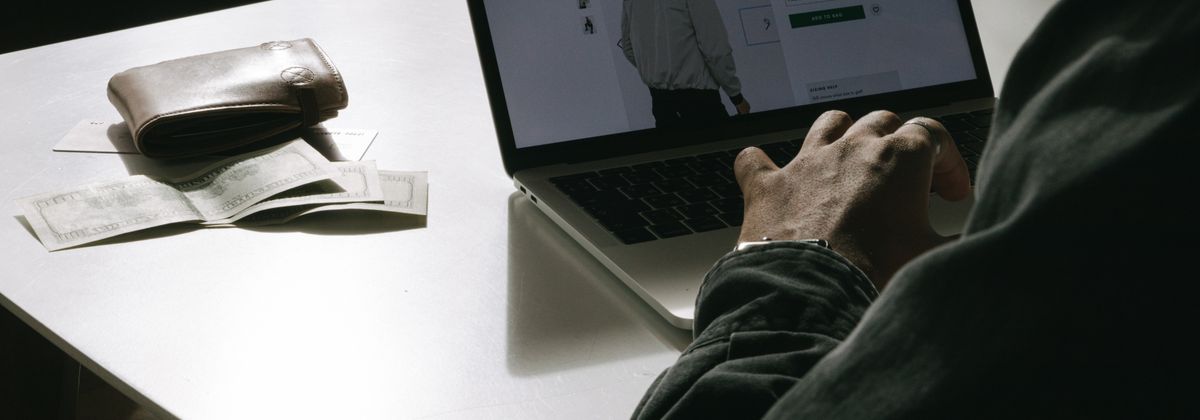
A phone or tablet with a card behind it can turn a child's game into a surprise bill. Set up approval, limits and alerts before handing a device over, and know what to do if it happens anyway.
A child taps a shiny button in a game and a few seconds later a purchase has gone through. Often there was no malicious intent: the button looked like part of the game, the child did not read the price, and the device remembered a card. Parents and carers then find a receipt in their email. It is one of the most common and avoidable shopping problems for families.
The most effective protection is to set up the device before the first tap, and then have a short conversation about what is and is not allowed.
How in-app purchases work
Many free games and apps let you download them for nothing and then offer extras: coins, lives, outfits, new levels, subscriptions. The money is charged to the card, balance or gift credit linked to the account on the device. Some systems ask for a password or a fingerprint each time. Others allow a window of time after one approval, during which more purchases can go through without asking again.
Game currencies are designed to feel less like money. A pack of "gems" has a price in dollars, but spending the gems inside the game feels like spending points. That distance can make it hard for younger children to understand what they are doing.
The setup checklist
Features are named differently on each device and platform, so look in the settings for the family, parental control or screen time sections.
- Create a child account if the device supports it, linked to your own family group, rather than letting a child use your login.
- Turn on purchase approval. The best option sends a request to your device for each purchase, so nothing goes through without you.
- Require authentication for every purchase. If the settings have a "stay signed in for a period" option, shorten it or turn it off.
- Remove saved payment methods from the account used by the child, or replace them with a limited balance.
- Set age limits on apps and content so unsuitable ones cannot be installed.
- Turn on purchase notifications and email receipts to a parent address.
- Disable or limit in-app purchases altogether in the device or the app settings if the child has no reason to need them.
- Lock the settings with a passcode that the child does not know.
Using prepaid or capped spending
If your child wants to buy things sometimes, a capped option teaches budgeting and limits damage.
- A monthly allowance in gift credit. The child can spend that amount and no more. When it runs out, the conversation about whether to top up is yours to have.
- A prepaid card or limited-balance account held by the child, where the platform allows it.
- A rule that purchases need a conversation first, with the approval request as the way you manage it.
Do not rely on a verbal "no purchases" rule alone with younger children. They may not understand that tapping a button costs money.
Talking about it with children
Settings help, but understanding helps more, and the right words depend on age.
- Younger children: keep it concrete. "This button costs real money, so we ask a grown-up first."
- Primary-school age: explain that game coins are bought with real dollars and that the game wants them to buy more. Show them a receipt.
- Teens: discuss how some games are built to encourage spending, such as limited-time offers and random reward boxes, and how to set their own spending limit. Our guide on a family agreement for teen purchases builds on this.
If a purchase has already happened
- Do not blame the child. Interfaces are built to be tapped.
- Look at the receipt and check which account and what item.
- Check the platform's refund process. Many app stores allow requests for refunds in some cases, especially accidental purchases by minors, but approval is not guaranteed and rules vary. Look at the official help page for your device and read the conditions and time limit.
- Make the request promptly, with a clear and honest description of what happened.
- Change the settings straight away so it does not happen again.
- Check for subscriptions. Some purchases are recurring. Look at the subscription list in your account and cancel anything unwanted.
- Contact your card issuer if you see charges you cannot resolve with the platform, and explain what happened. Rules differ by country and card.
Beyond games
The same care applies to:
- Streaming and music apps with paid add-ons.
- Shopping apps and marketplaces, where a saved card may allow one-tap buying.
- Voice assistants that can order items. Look for a purchase PIN.
- Shared accounts on a family television or console.
Check each account for saved payment methods and who has access.
Keep it calm and routine
Once a quarter, spend ten minutes reviewing the child's accounts: which apps are installed, what is saved, what the notifications show. Adjust rules as the child grows. If you want to hear how other parents handle it, ask in the community, and use the journal for related guides.
The aim is not to remove every risk, but to make the safe path the default and the costly mistake the unusual one.
Frequently asked questions
Can I get a refund for a purchase my child made by accident?
Sometimes. Many platforms have a refund request process, but approval depends on the platform's policy and the circumstances. Check its help page promptly and be honest in your request.
Should I just remove my card from the device?
That is a strong step, especially for younger children. You can still allow purchases through a limited balance or an approval request.
What age can a child manage their own spending?
There is no fixed age. It depends on the child's understanding. Start with approval requests and a small allowance, and loosen gradually.
Do free games always have in-app purchases?
Many do, but not all. Check the app's store listing for a note about in-app purchases and read the settings before the child plays.
Ready to put this to use? Browse today's offers Share a deal you found
 The smart way to shop online: a checklist before you click buy
 Remote-area, oversize and fuel surcharges: the shipping extras that appear late