Journal / Cashback and rewards
How to claim missing cashback step by step
By Today Offers Journal · Sep 13, 2026 · 5 min read
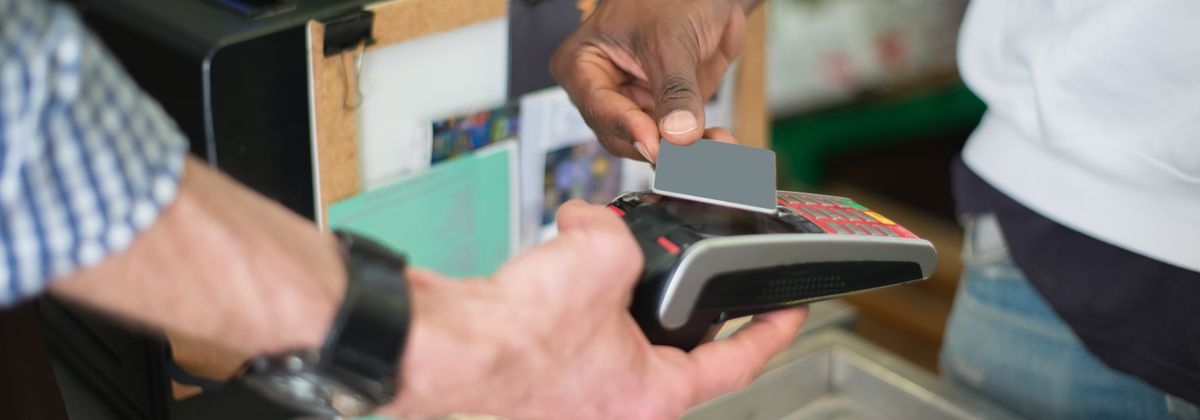
If your order never appeared in your cashback account, there is a process to follow. This guide shows what to gather, when to ask and how to write a claim that gets answered.
You did the shopping, you paid, and nothing shows in your cashback account. Before you give up, know that missing cashback is a normal problem with a standard process. Most portals have a claim form, and many claims are approved when the shopper gives clear details. A calm, organised claim has the best chance.
First, check whether it is actually missing
Not every absence is a failure. Before you file, rule out the common waiting periods.
- Tracking delay. Many portals show the order within a day or two, but some take longer. Check the portal's help page for the usual time.
- Pending status. The order may be listed as pending and just need time to be confirmed.
- Excluded items. Some products are not eligible, and the portal may track only part of an order.
- Different account. Check you are looking at the account you signed in to when you clicked.
If the portal says orders can take a certain number of days to appear, wait for that period before you file. A claim made too early is often rejected.
Step 1: Gather the evidence
A claim is only as good as what you attach. Collect the following before you start.
- The order confirmation email, with the order number, date, time and total.
- The store name and the web address you used.
- The portal click details, if shown in your account, including the date and time.
- A screenshot of the cashback offer you clicked, if you took one.
- Details of any coupon code you used.
- Payment method, in general terms, such as card or store credit. Never send full card numbers.
Keep these in one folder or note so you do not scramble later.
Step 2: Check the portal's claim rules
Portals set their own rules. Typically, you need to wait a minimum number of days after the purchase, and you have to file within a maximum number of days. The rules are on the help page. Read them once, then follow them exactly.
Step 3: Submit a clear, short claim
Use the portal's claim form where one exists. If you must write a message, keep it factual.
Order placed on [date and time] at [store] through your link on [date and time]. Order number [number], total [amount], paid by card. Cashback has not appeared as pending or confirmed. Confirmation email attached. Please check tracking.
Do not add a long story. The reviewer needs the facts, and the more clearly they are written the faster they can be checked.
Step 4: Be patient while it moves along
A claim travels from the portal to the partner network and then to the store. Each handoff takes time. Replies of a few weeks are not unusual, though the portal may give its own estimate. If you do not hear back after the stated time, send one polite follow-up with the claim reference.
Step 5: Know what the answer might be
A claim can end in several ways.
- Approved. The cashback is added to your account, sometimes as pending.
- Declined because of terms. The store may say the items were excluded, a code voided the offer or the order was returned.
- Declined because no click was found. If the store has no record of a click, there may be nothing the portal can prove.
- No answer. Escalate through the portal's support or, if your payment is large and the portal offers a member complaints process, use it.
Accept a decline if the reason is genuine, even if it is disappointing. Learn from it, then adjust your habits for next time.
What not to do
- Do not file the same claim several times. Duplicates can slow things down or look like abuse.
- Do not send sensitive data. Full card numbers or passwords are never needed.
- Do not argue with support staff. They normally cannot overrule a store.
- Do not buy again to try to fix it. A second order creates two problems.
Prevent the next claim
Most missing cashback comes from a handful of causes, which are covered in our articles on tracking windows and on the checks to make before you click. A few habits help.
- Start every purchase from the portal and finish in the same session.
- Keep browser extensions from replacing your link.
- Take a quick screenshot of the cashback rate and confirmation banner for larger orders.
- Save the confirmation email in a folder.
If you are unsure whether a store tracks well, ask other shoppers in the community before you place a large order.
A reality check
Cashback is a small percentage. For a $25 order paying 2 percent, the reward is $0.50, and a claim may not be worth your time. For a $400 order paying 5 percent, the reward is $20, which is worth a short, careful claim. Decide where to spend your effort. These amounts are examples, and each portal's rules and minimum claim values differ.
Frequently asked questions
How soon after a purchase can I file a missing cashback claim?
Check the portal's help page, since each sets its own minimum wait. Filing too early often leads to a rejection, so wait until the period has passed.
Is there a deadline to file?
Most portals set a maximum number of days after the purchase. If you miss it, the claim may not be accepted, so file as soon as the waiting period ends.
What if the store says it never received a click?
Then the portal may not be able to pay, since it relies on the store's records. Check your browser setup and try a fresh click on your next purchase.
Ready to put this to use? Browse today's offers Share a deal you found
 Cashback and rewards explained: how to earn more and avoid the traps
 Putting a big purchase on a card: rewards, protections and a payoff plan